
As a child of the 1980s, I remember fondly walking through the magazine section of the grocery store and picking out my favorites to bring home. Those magazines were usually about video games or professional wrestling, and I’d lay on the floor in our family room and read them cover-to-cover. That’s a feeling I just don’t get when reading on a screen. Especially after a long day in front of the computer, my eyes are ready for a rest and even the dim light of an e-reader feels like too much. Sometimes, even with a library full of interesting articles, all I really want is to relax with something printed on paper.
That’s why I’m excited to announce our integration with Offprint.
Meet Offprint: Your own personal magazine
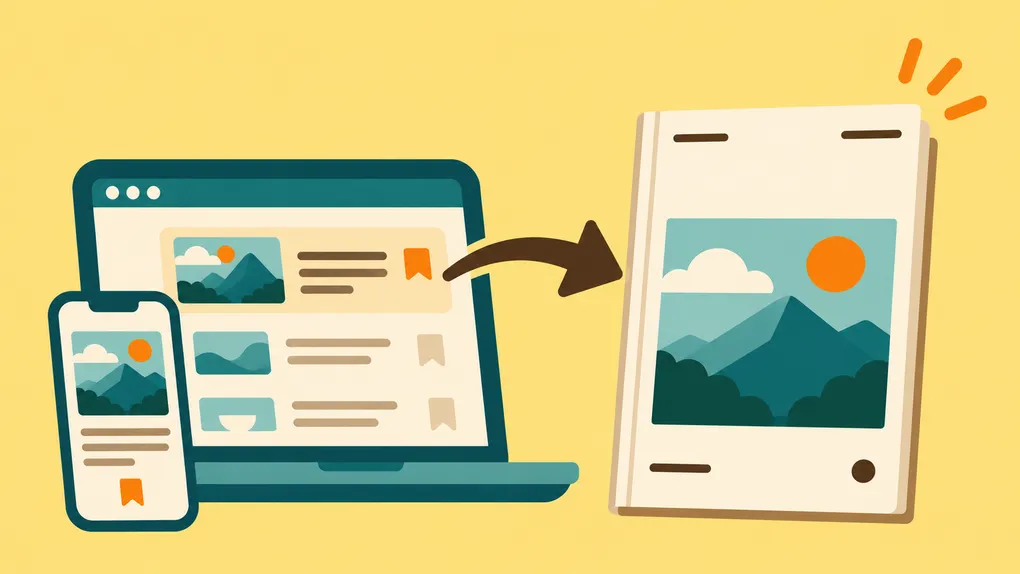
Offprint is a service that takes the content you find online and sends you a print magazine each month with your selections. It harkens back to the days of monthly magazine subscriptions except this one is curated by you and contains just your hand-picked content. You interact with Offprint through text messaging, allowing you to add, remove, rearrange, and preview your magazine until you approve your issue for printing.
It’s a chance to enjoy the articles you’ve saved in a beautifully printed, professionally laid out magazine, without notifications, browser tabs, or other digital distractions.
How Bredbox and Offprint work together
First, make sure you’re signed up for both Bredbox and Offprint. (Offprint is a separate subscription service with its own fee.) Then, you can send articles from your Bredbox library directly to Offprint in two ways: with Offprint’s text messaging system or directly through the Bredbox UI.
Connect your Bredbox library to Offprint
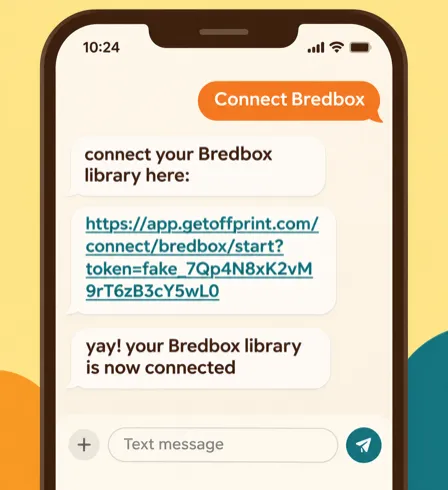
To connect your Bredbox account to Offprint via text, message Offprint with “Connect Bredbox”. You’ll be guided through connecting your account, and once completed, Offprint will pull some articles from your Bredbox library to include in your magazine.
Send articles directly from Bredbox
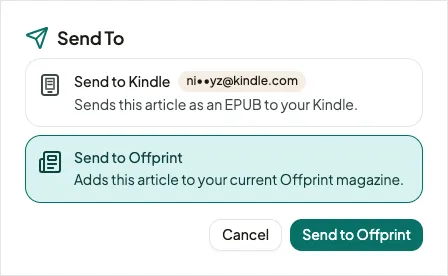
To send specific articles from Bredbox to Offprint, log in to your Bredbox library and select “Send To…” in the options menu. Select “Send to Offprint” and we’ll send that article to Offprint on your behalf. (You can also select multiple articles and click “Send To…” to send them all at once.) You’ll receive a text message confirmation from Offprint when it’s been received and you can check the status of your request in the Settings -> Offprint page on Bredbox.
In both cases, Bredbox provides the content to Offprint, and Offprint then handles magazine assembly, approval, printing, and delivery. You can make changes until you approve your magazine for printing by texting Offprint directly.
Your library, your experience
One of the reasons I built Bredbox was that I didn’t want to be locked into someone else’s idea of how I should read. Sometimes I want to read on my computer. Sometimes I want to send something to my Kindle. And sometimes I just want to sit on the couch with a magazine, like I did when I was a kid.
I still love the convenience of finding and saving articles online. But there’s something special about holding a magazine, turning its pages, and giving the things you’re reading your full attention.
I don’t expect to recreate the feeling of being a kid reading video game magazines on the family room floor, but I’m excited to get a little bit of that experience back. And I’m happy that Bredbox can now be part of it.