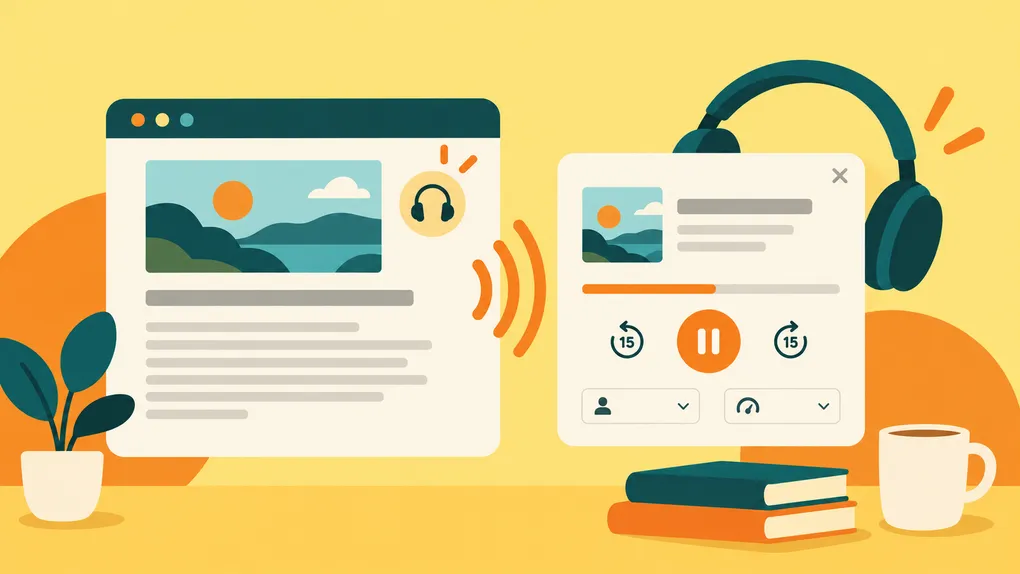

You save an article because you want to spend time with it, but the moment when you finally have that time does not always look like sitting comfortably in front of a screen. Maybe you are making dinner, folding laundry, taking a walk, or simply tired of looking at another display after a long day. Sometimes you still want the article, just not in the form of more screen time.
Bredbox now gives you another way to return to the articles you have saved: you can listen to them.
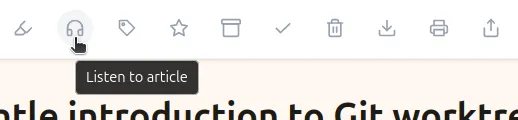
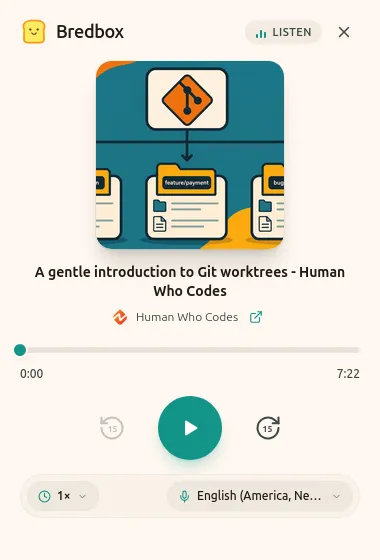
Open an article in Bredbox on the web and you will now find a headphones button alongside the usual reading controls. Select it and a small player opens with the article title, playback progress, play and pause controls, and options for choosing a voice and listening speed. The speech comes from the voices already available in your browser and operating system, so the exact choices will vary depending on what you use.
There is no separate audio file to create, download, or manage. Bredbox simply reads the saved article aloud using your browser’s built-in speech capabilities. It is meant to feel like another way into the same article, not a separate mode you have to maintain.
Reading and listening keep their own places
One of the more important details is that your listening position is kept separate from your reading position. If you read the first third of an article over breakfast and later listen to most of it while doing something around the house, Bredbox does not force those two activities into a single progress marker.
When you return to reading, your reading position is still where you left it. When you reopen the listening player, your listening position is there too. Listening does not move your reading progress, and reading does not move your listening progress.
That separation makes it easier to move back and forth depending on the moment. You do not have to decide that an article is something you either read or listen to. You can start one way, continue another way, and come back later without losing your place in either.
Pick up where you left off
If you close the player before reaching the end of an article, Bredbox saves your listening progress so you can continue later. Open the player again and it resumes from your previous listening position rather than starting over.
Your choice of playback speed and voice is remembered in the browser too, which means you can settle on something comfortable and keep using it. Those preferences stay local to that browser rather than becoming account-wide settings, while the actual listening progress is tied to your Bredbox account.
When you reach the end of an article, the player records it as complete. If you decide to listen again later, you can simply restart from the beginning.
Another way to read your way
A big part of Bredbox is the idea that the place where you discover something should not dictate the place, device, or format where you eventually give it your attention. You might find an article on your laptop and read it later on your phone. You might save something during the workday and return to it on an e-reader over the weekend.
And sometimes, the most comfortable way to spend time with an article is not to look at it at all.
Listening is another way for your Bredbox library to fit around the way you actually want to use it. The article is still the same thing you decided was worth saving. You just have one more way to come back to it when the time is right.