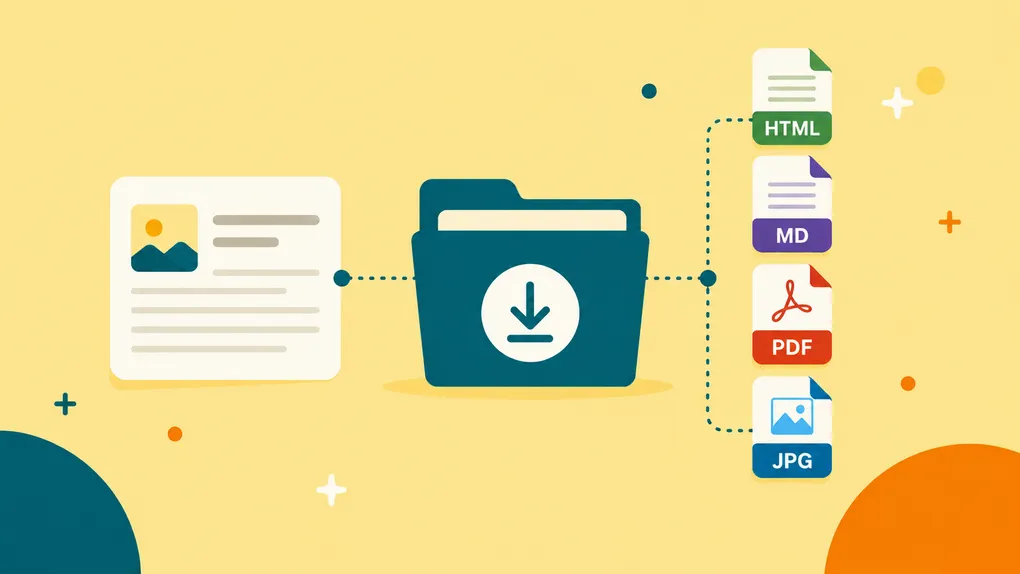

Saving something to Bredbox means deciding it’s worth keeping. Now, when you want a copy outside your library, you can download it directly from the reader.
Articles and recipes can now be downloaded as HTML, Markdown, or PDF. Saved images can be downloaded in their original format.
It’s a small addition to the reader, but an important extension of a larger idea: the things in your personal library should remain useful wherever you want to use them.
Choose the format that fits
Open a saved article or recipe and you’ll now find a download button in the reader toolbar.
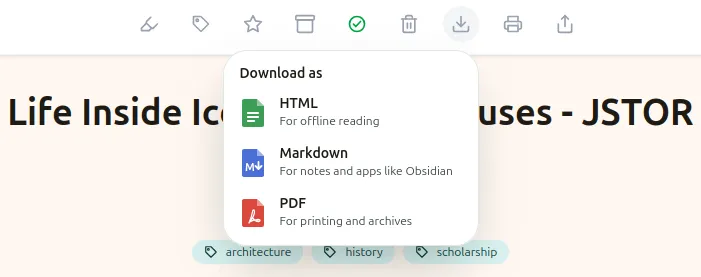
From there, you can choose among three formats:
HTML gives you a standalone, readable copy of the page. It includes the content and useful source information you see in Bredbox’s print view, without the surrounding Bredbox interface.
Markdown gives you a portable text version designed to work well with tools such as Obsidian. The file includes YAML frontmatter with available information such as the title, original URL, authors, publication date, tags, date saved, and description.
PDF uses your browser’s built-in print-to-PDF support. That means the resulting document matches Bredbox’s print presentation, with selectable text and working links, rather than being a screenshot of the page.
Recipes work the same way. Their HTML and PDF downloads include the clean recipe presentation you see in Bredbox, including details such as recipe stats and nutrition when they’re available.
Your saved content doesn’t have to stay in Bredbox
There are plenty of reasons you might want a local copy.
Maybe you’re collecting sources for a research project and want an article alongside the rest of your project files. Maybe you keep notes in Obsidian and want the original material nearby. Maybe you want a PDF you can put on another device or archive somewhere else.
Or maybe you just like knowing that you can.
A personal library is more useful when it doesn’t dictate what happens next. Bredbox can be the place where you save and read something without becoming the only place where you’re allowed to use it.
That flexibility is especially important over time. The article you casually save today might become a useful reference six months from now, and by then your preferred tools or workflow may be completely different.
Images, too
If Bredbox has stored a copy of an image in your library, you can now download it directly from the image viewer.
There’s no format picker because there’s nothing to convert. Bredbox simply gives you the stored image as-is.
A library you can use your way
We think saving something should increase your options, not reduce them.
You can keep reading inside Bredbox, download a clean HTML copy, move an article into a Markdown-based knowledge library, save a PDF, or keep the original image on your own device.
The important part is that what you saved remains useful to you.
Your library should fit into the way you read, research, cook, and collect things. Not the other way around.